Maps for trucks in fireTMS
Discover professional maps for trucks in fireTMS that will help you plan your transport efficiently. Match the right vehicles, optimise costs and determine the best transport routes.
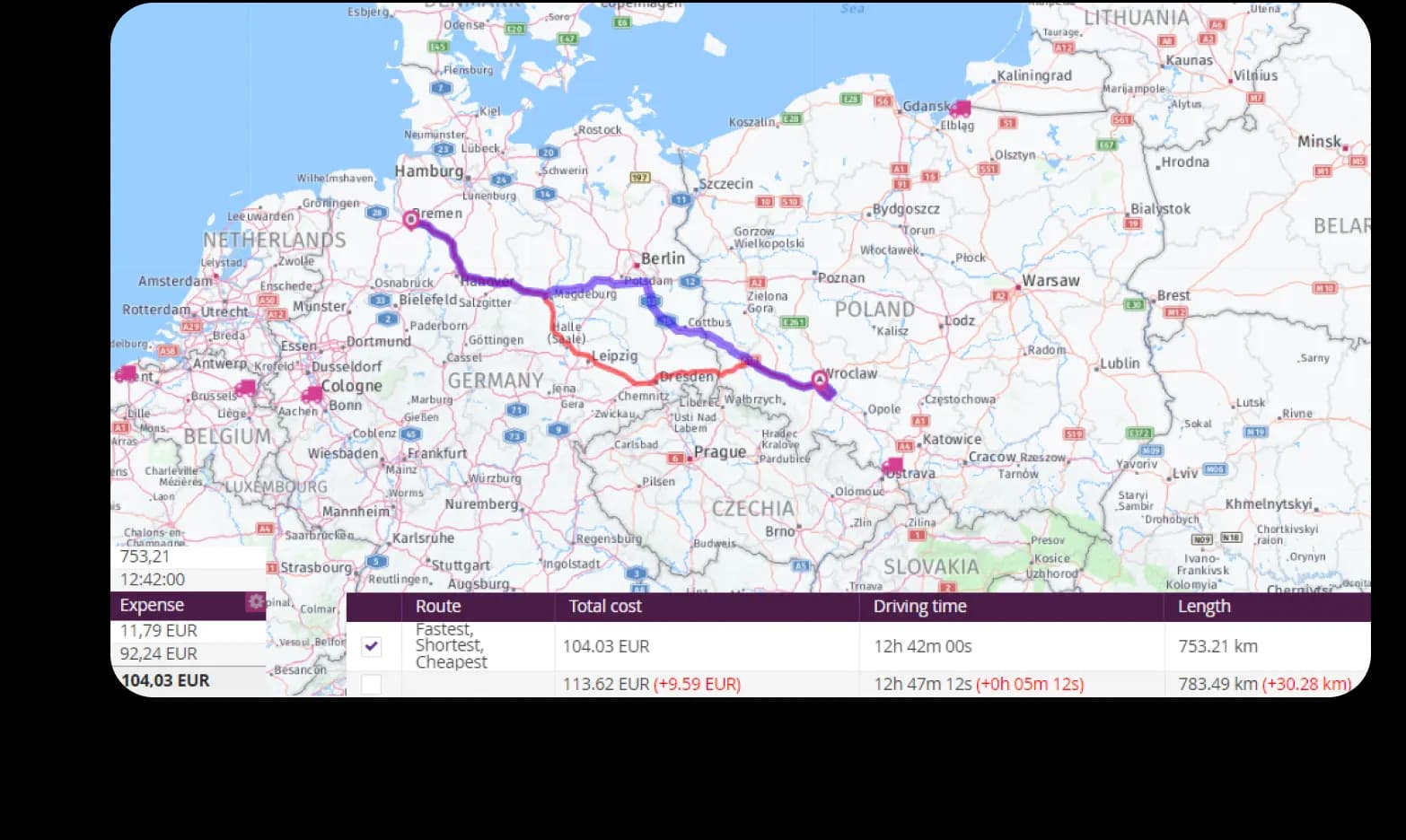
What do maps for professional drivers in fireTMS offer?
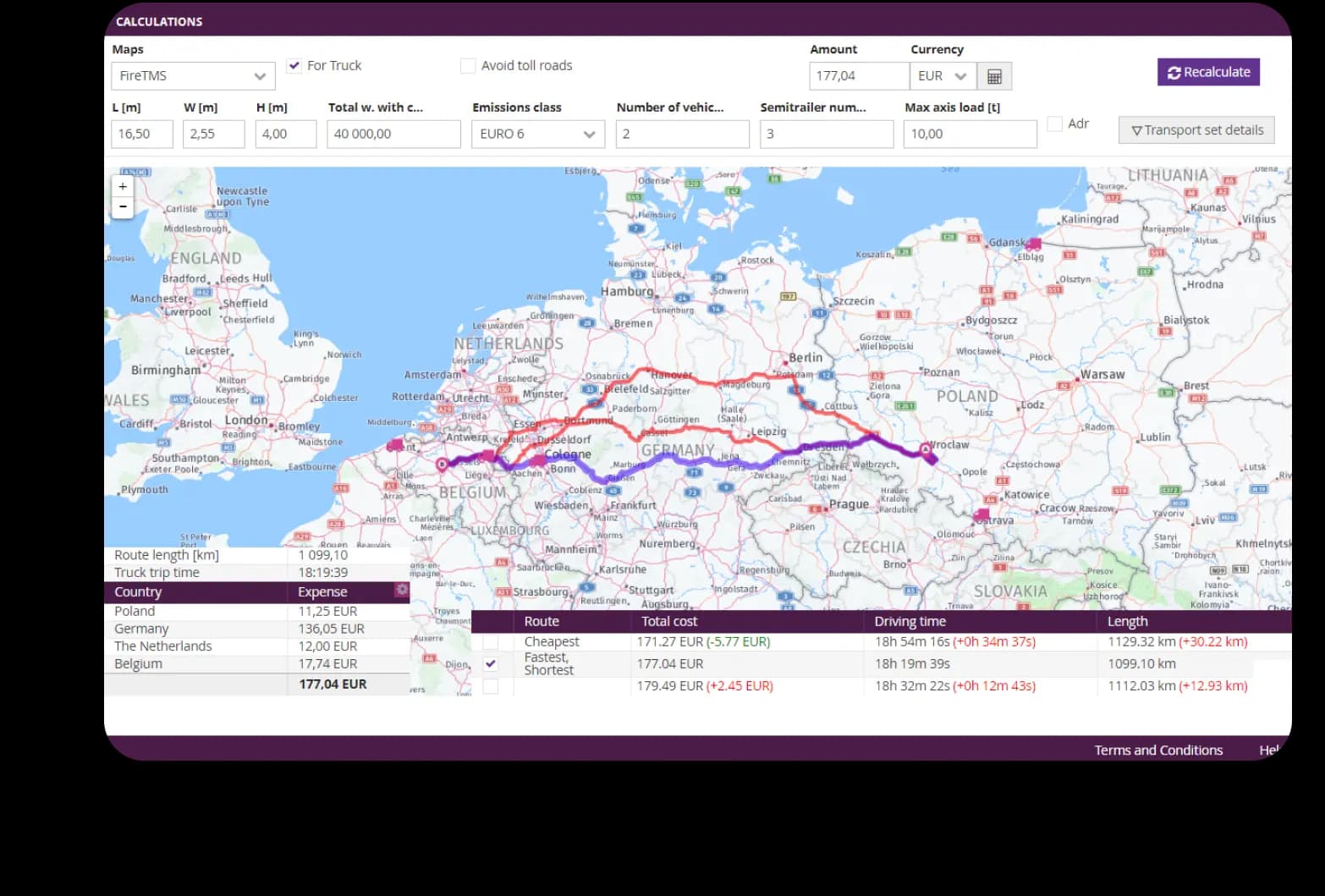
 Inclusion of road tolls in cost calculations
- Inclusion of vehicle parameters and fixed transport costs
- Inclusion of load parameters
- Quick estimation of fuel consumption and costs
- Calculation of total order costs in a matter of moments
What will you gain from transport maps in fireTMS?
- A professional tool for planning routes for trucks
- Save money thanks to optimal route selection
- More precise planning of driver and vehicle working times
- Simplified transport optimisation and route planning
- Reduced risk of delays during transport
- Option to choose the shortest, cheapest or best route
Who are the transport maps in fireTMS intended for?

Transport companies
A professional route planning tool that saves time and money

Freight forwarders
A solution that allows you to calculate the profitability of orders and control transport costs

Logistics
A way to easily and quickly determine routes and then compare options in terms of time and cost
Here maps in fireTMS
The most advanced maps for transport available in fireTMS. Here provides extensive tools for determining and optimising routes for trucks, including accurate map backgrounds with tonnage restrictions, and also enables cost calculation.
What specialised features do Here maps have?
- Ability to exclude ferry routes
- Option to exclude countries with high tolls, e.g. Switzerland
- Consideration of time restrictions, e.g. night-time driving bans
- Precise route planning taking into account tonnage restrictions
- Easy editing of routes on the map using drag & drop
What are the benefits of Here maps for transport?
- Save money with even more precise calculation of order fulfilment costs
- Save time by speeding up the process of planning freight transport routes
- Minimisation of the risk of unexpected obstacles during transport, e.g. traffic bans or restrictions
Here Maps is an additional paid option, regardless of your fireTMS plan. To purchase access to this advanced route planning tool in the TMS system, please contact us.
How to plan a route for a truck using maps?
fireTMS will automatically plan a route for a truck based on the loading and unloading data entered in the order. You can edit it in the order view to find the best option.

- Enter a new loading or unloading location
- Enter additional order costs
- Select the best, shortest or cheapest route from the suggested alternatives
- Exclude motorways and all toll roads
Frequently asked questions
